
Water Simulator Flood Everything Controls for Keyboard, Mouse, and Mobile
How to move, aim the hose, switch tools, fly, reset the valley, and open paid panels on Roblox.
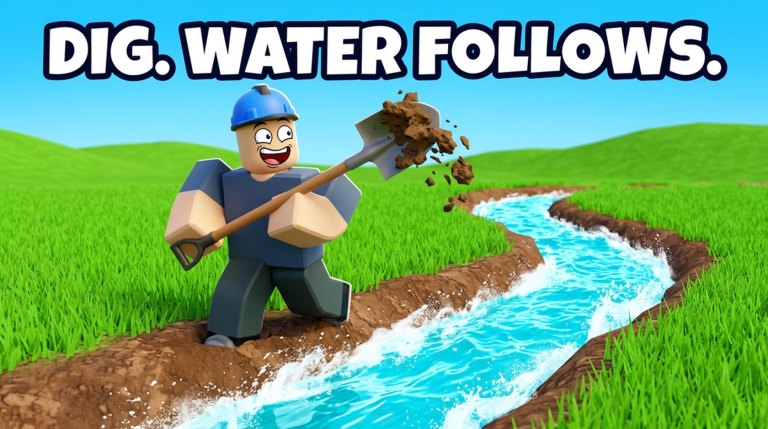
Water Simulator Flood Everything uses a standard Roblox character plus a tool tray. There is no hidden fighting combo. The skill is where you aim the hose and when you switch to the shovel. This page collects the binds players actually need on keyboard and on a phone. If a patch moves a button, rejoin after the [UPD] shutdown and check updates.
Keyboard and mouse
- W A S D — walk. The valley is large enough that walking from town to the dam takes real time. That is why Flying sells.
- Mouse — look and aim. The hose sprays where you point, not where the character’s feet are. Aim at the high end of a trench, not at the sky, unless you are painting a waterfall off a ridge.
- Left click / tap — use the equipped tool: spray, dig, pack mud, throw a bomb, spawn a toy.
- Number keys or the on-screen tray — switch hose, shovel, mud, bombs, and Toys. Exact slot order can shift after a shop unlock; look at icons, not memorized numbers.
- F or the Fly button — take off if you own the Flying pass (149 Robux, 21 November 2026). Without the pass the bind does nothing. Flying is movement, not a water gun, but it changes every aim angle. Dump lava from above, scout the reservoir, then land on a flamingo. Full pilot notes are on the Flying page.
Shift-sprint is the usual Roblox sprint if the experience leaves it enabled. Jump still clears short mud walls. You cannot jump a full dam; walk around or fly.
Mobile and tablet
Touch layout puts a joystick on the left and action buttons on the right. The Fly control is a labeled button rather than an F key, which is easier than hunting a keyboard bind. Tool icons stay on a tray; rotate it before you spray the wrong tank. Thumb reach matters: sit the hose on a slot you can hold while steering, because a flood is a sustained spray, not a tap.
Gyroscope is not required. If Roblox camera lock fights you while aiming down a canal, switch to the classic thumb camera and walk the ridge. Bombs on mobile are easy to drop at your feet; look at the dam wall before you release.
Tools, fluids, and the shop panels
The hose remembers the last fluid: water, lava, honey, slime, and the paid Watermelon Juice or Acid tanks. Cycle fluids on the hose UI, not by swapping to a second item, unless a patch adds dedicated cans. Fluids explains what each tank does so you do not Acid a house you meant to water.
Toys is its own tool. Vehicles — speedboat, jet ski, giant flamingo — spawn from Toys after you own the pass, not from a separate garage door. Admin Controls is a panel, not a backpack item. Open it from the paid Admin UI to start floods, tidal waves, rain, volcano eruptions, dam breaks, and world resets. VIP dailies sit on the VIP / event UI: Mega Bomb, Meteor Shower, Duck Storm. Those menus are documented with prices on gamepasses and VIP.
Reset, settings, and social
Reset is a recovery control, not a death respawn. Press it when lava, acid, or a Mega Bomb has made the heightmap unreadable. Admin owners can also reset from their panel. Agree in chat on a six-player server; a surprise Reset wipes someone else’s canal the same way a surprise dam break does.
Roblox emote and report menus still work. Report harassment and stolen accounts through Roblox, not through this wiki. Chat is how you warn a builder before a Tsunami. Mute exists if a disaster lobby is louder than the water.
There is no confirmed Codes button as of November 2026. If Water Sim Games adds one, the codes hub will describe the click path. Until then, ignore third-party “code GUIs.”
Practice drills
- Stand above a slope, spray water for five seconds, and watch the puddle choose a downhill path. That is the whole solver.
- Dig a ten-step trench, pour at the high end, switch to mud, and bank one side while the stream is moving.
- If you own Flying, take off, look at the dam, land, and bomb the spillway. Then follow how to flood.
- On mobile, do the same drill without sprint so you learn thumb aim.
New accounts should finish getting started with default binds before buying Flying just to skip the walk. The walk teaches the heightmap. Flying is a multiplier on a player who already knows where the reservoir sits. For ranked gadgets rather than binds, use the tools hub and the tools tier list.
Frequently Asked Questions
Quick answers to the most common questions.
What is the fly key in Water Simulator Flood Everything?
F on keyboard, or the on-screen Fly button on mobile, after you buy the Flying pass. The bind does nothing without the pass.
How do I switch from water to lava?
Stay on the hose and cycle the fluid tank on its UI. Lava is a default tank; you do not need a gamepass for it.
Where do I spawn a boat?
Equip the Toys tool after buying Vehicles. There is no separate garage. See the vehicles guide.
How do I reset the map?
Use the in-game Reset control. Admin Controls can also world-reset from its paid panel.
Are mobile controls worse for flooding?
They are different, not worse. The Fly button is clearer on touch. Sustained hose aim takes practice with the right-hand action cluster.